
Products
Where: Inventory → ProductsWho: manager or tenant owner
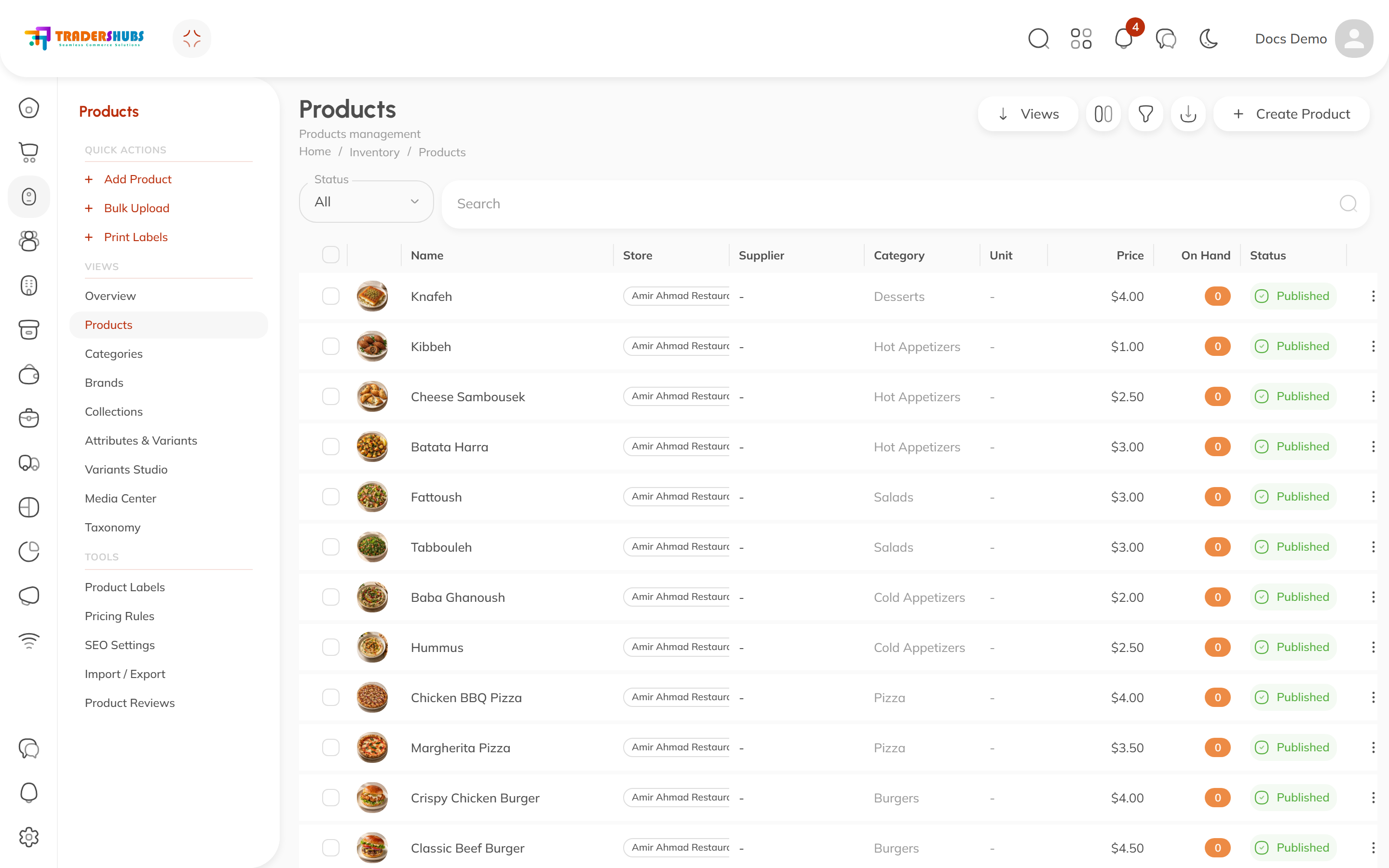
The Products table is your whole sellable catalog — everything the POS, the storefront and inventory draw from.
Reading the table
| Column | Meaning |
|---|---|
| Name | Product image + display name |
| Store | Which store sells it (products can be scoped per store) |
| Supplier | Preferred supplier, if set |
| Category | The product's category |
| Price | Current sell price |
| On Hand | Stock currently available — orange when zero |
| Status | Published (sellable) or draft/inactive |
Click any row to open the product editor.
Adding a product
- Click Create Product (or Add Product in the sidebar quick actions).
- Fill the Basic tab — name, category (required), price and cost.
- Upload an image — it's what shows on POS cards, the storefront and this table.
- Set the product Published when it's ready to sell.
The product editor
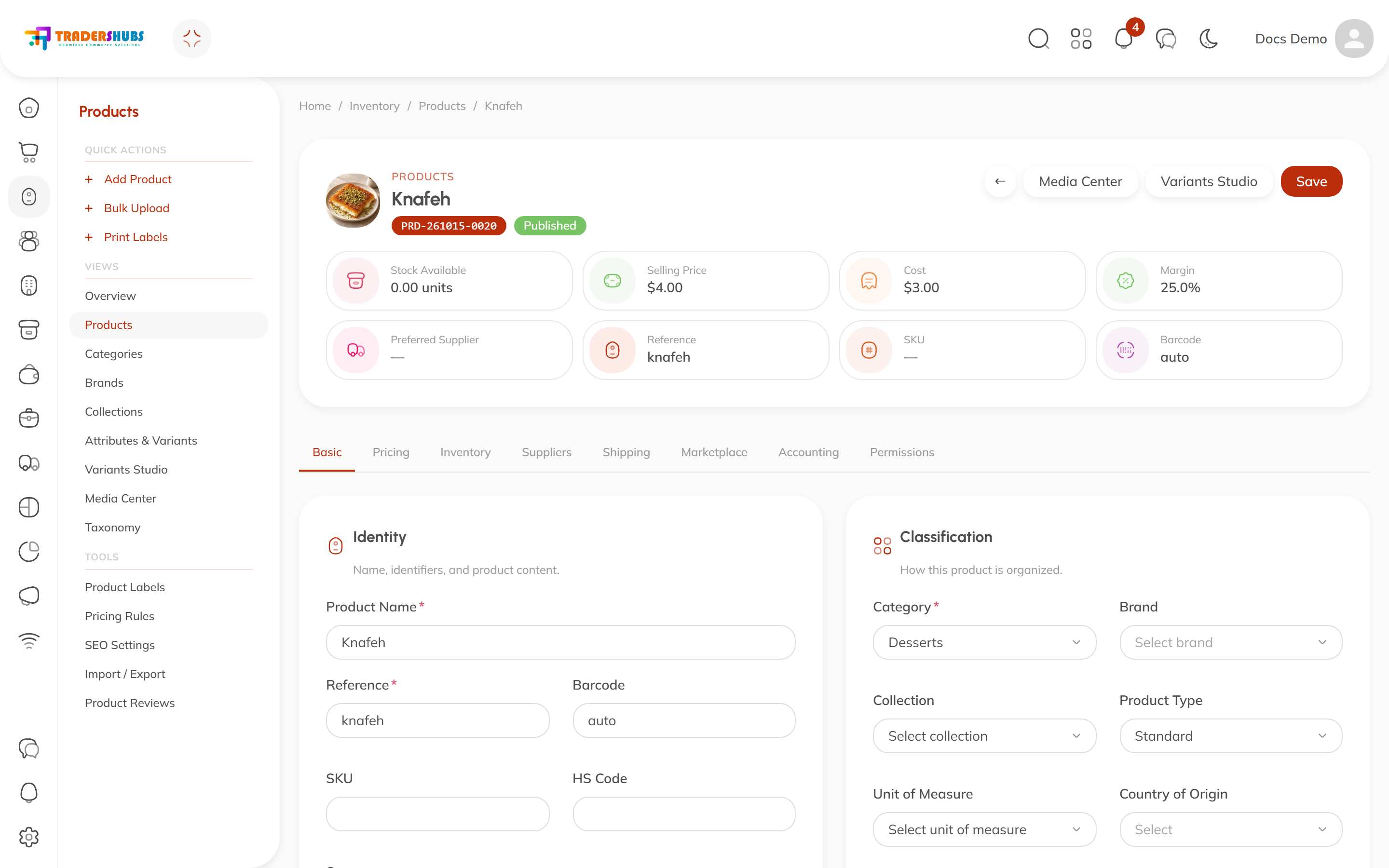
Every product opens into a tabbed editor:
| Tab | What lives there |
|---|---|
| Basic | Name, identifiers (reference, barcode, SKU, HS code), category, brand, collection, product type, unit of measure, description |
| Pricing | Sell price, cost — the margin card updates live |
| Inventory | Stock tracking and quantities |
| Suppliers | Preferred supplier and supplier terms |
| Shipping | Weight, dimensions — for storefront delivery |
| Marketplace | Channel-specific settings |
| Accounting | Account mappings for finance |
| Permissions | Who can see or edit this product |
The header shows live stats — stock on hand, price, cost and computed margin — plus shortcuts to Media Center and Variants Studio. Remember to Save.
Identifiers
- Reference — your own short code (
knafah), searchable everywhere. - Barcode —
autogenerates one; scan/type your own if the product already has a printed barcode — that's what the POS scanner matches. - SKU — stock-keeping unit for warehouse work.
Good to know
- Products need a category to appear organized on the POS — a product with no category only shows under All Products.
- On Hand = 0 doesn't hide the product; it just shows as out of stock.
- The status controls visibility: only Published products sell.